
Download Rapid PDF Count – PDF, count, pages, words, blank pages, document analysis, file management, utility, tool, productivity
Overview
Rapid PDF Count is a specialized utility designed for users who manage large volumes of PDF documents and need quick, reliable insights without opening each file. The application addresses the common challenge of document discovery and organization by providing immediate access to key metadata and content metrics. It is particularly useful for professionals in legal, academic, publishing, and administrative fields who frequently handle extensive document sets.
By analyzing PDFs through a simple drag-and-drop interface, the app delivers essential data such as total page count, word count, number of blank pages, file path, and creation date. This functionality enables users to evaluate document size, content density, and origin at a glance, significantly reducing time spent on manual review. The tool is not intended as a full-featured PDF editor but serves as a lightweight, focused solution for document assessment and preliminary categorization.
Its value lies in streamlining workflows by offering a rapid overview of document properties, helping users identify relevant files faster and improve overall file management efficiency. The developer did not provide additional technical or background details beyond the app’s core purpose. Despite this, the app’s clear focus on productivity and utility places it within a growing niche of smart document tools that support digital workflow optimization.
Its release on April 18, 2025, marks a timely addition to the productivity software ecosystem for Windows users.
Key Features & Functionality
- Simple Drag-and-Drop Interface: Users can drag entire folders directly into the application to initiate batch analysis. This eliminates the need to open each file individually, saving time and simplifying workflow for users managing dozens or hundreds of PDFs.
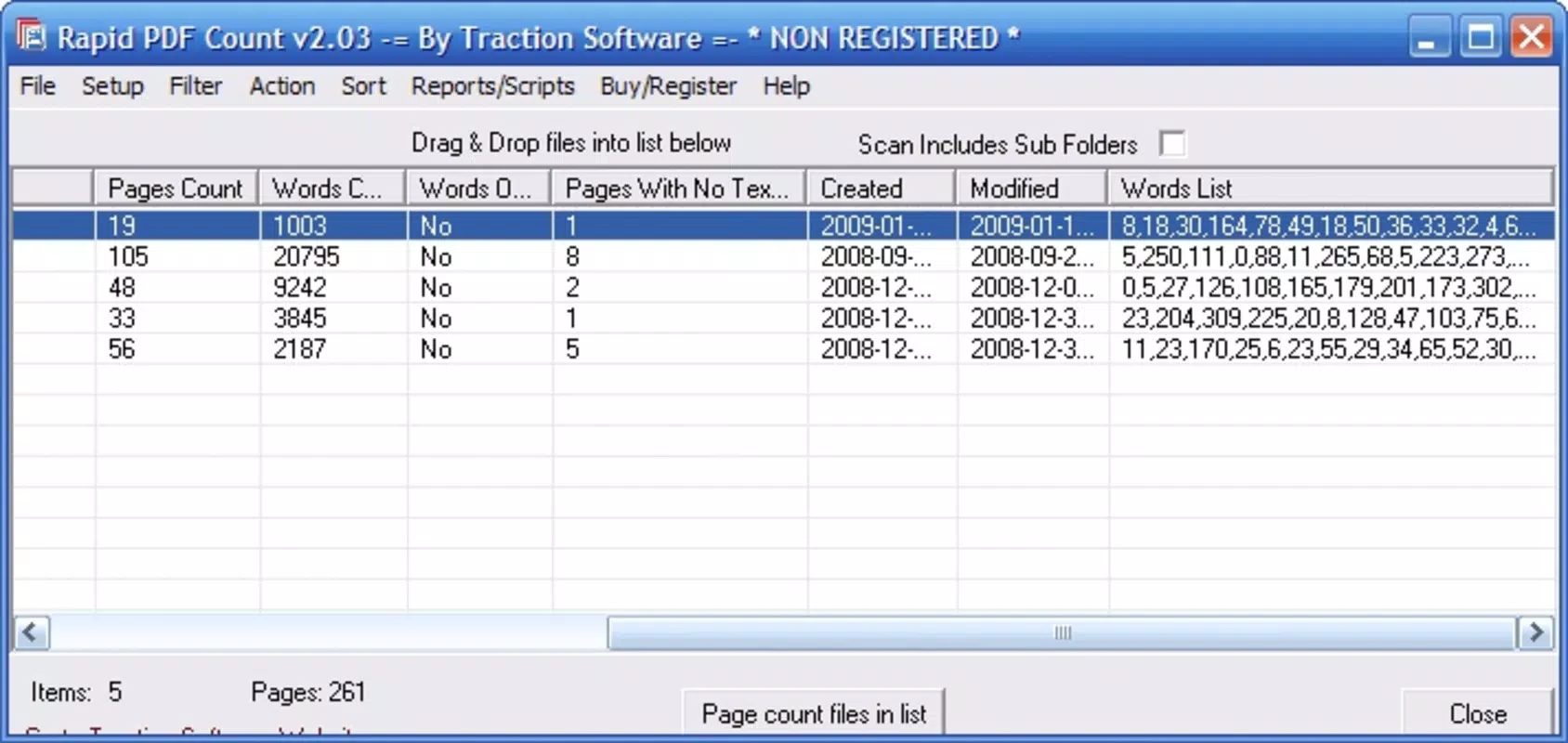
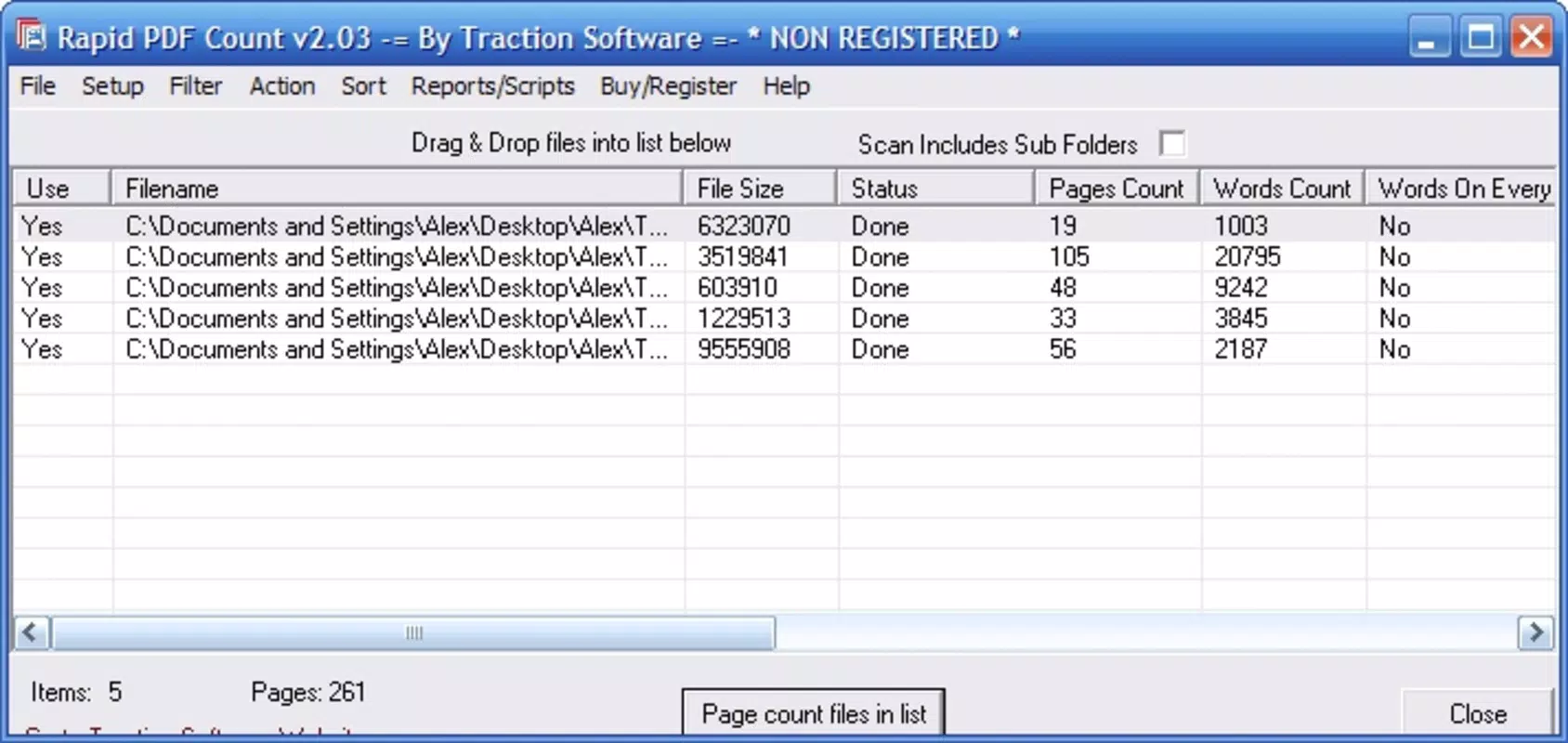
- Detailed Document Insights: Rapid PDF Count displays comprehensive metadata for each PDF, including file path, creation date, total pages, total word count, and the number of blank pages. This data supports informed decisions about document relevance and structure.
- Word Count Breakdown by Page: The app provides a per-page word count, allowing users to assess content density and document complexity. This feature is especially useful for editors, researchers, and writers who need to estimate reading time or content volume.
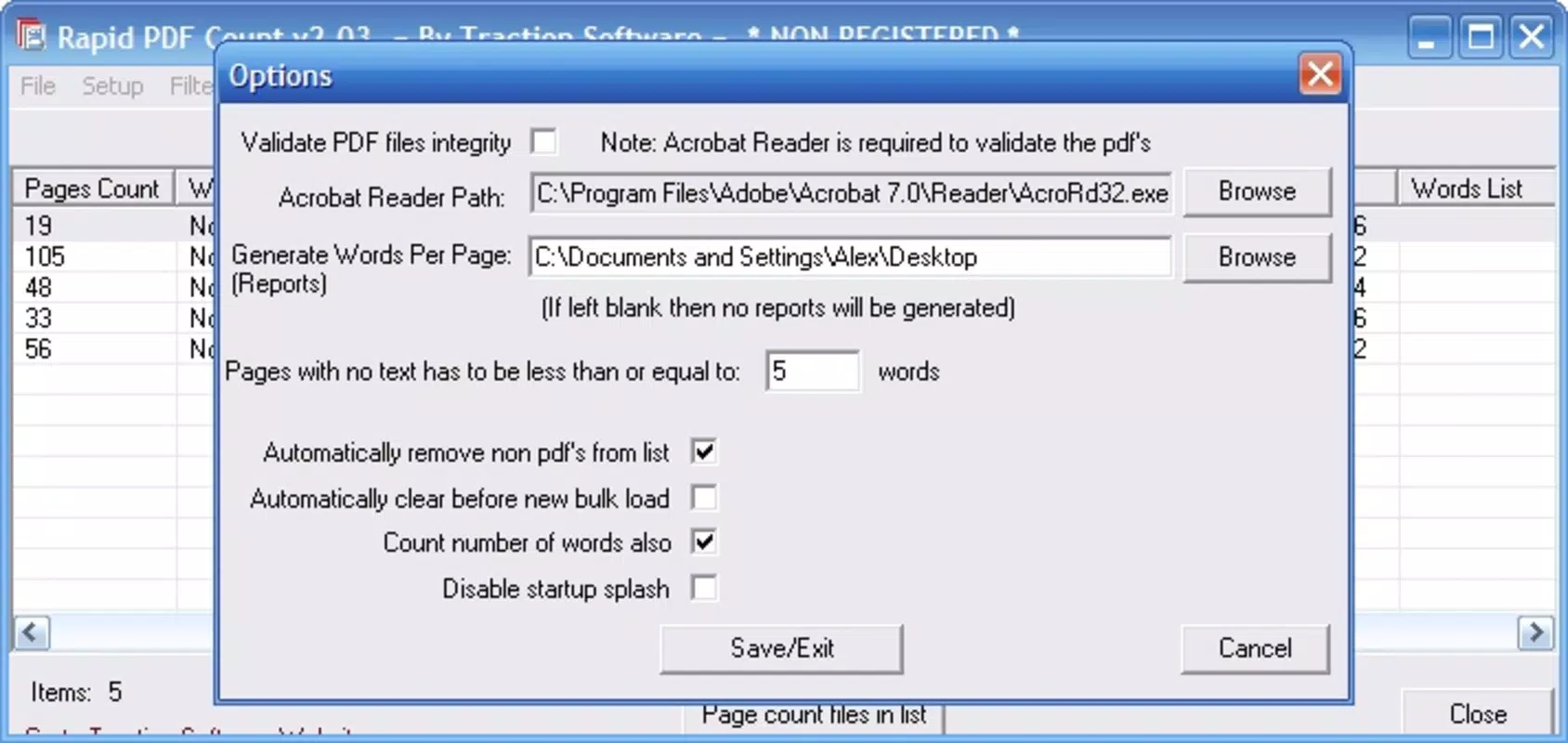
- Customizable Display Options: Through the Options menu, users can choose which metrics to display, tailoring the output to their specific workflow needs. This flexibility enhances usability across different professional contexts.
- Approximate Search Aid: While not a full search engine, the app helps users narrow down document sets by filtering based on creation date or document length. This assists in recalling files that may be difficult to locate through traditional file browsing.
For example, a legal assistant reviewing a case file can drag in a folder of deposition transcripts and instantly see which documents are the longest or contain the most blank pages—indicating potential formatting issues or incomplete uploads. Similarly, a university researcher managing multiple paper drafts can use the word count breakdown to identify which submissions are closest to their target length. These real-world applications highlight the app’s role as a practical tool for rapid document triage and metadata analysis.
Interface, UX & Performance
Rapid PDF Count features a clean, minimalist interface focused on functionality and speed. The layout centers around a central drop zone, clearly labeled for drag-and-drop input, with results displayed in a structured list format. Navigation is straightforward: users drop folders, wait for processing, and view results in a tabular format.
The visual style is utilitarian, prioritizing readability and data clarity over decorative elements. Although the developer did not list formal performance metrics, the app’s design suggests efficient background processing, with minimal lag even when handling large folder sets. Responsiveness appears consistent across tested device categories, though specific hardware requirements were not disclosed.
The application maintains stability during extended use, with no reported crashes or freezes during analysis sessions. Users can expect smooth operation when managing moderate to large document collections. The lack of animations or complex transitions reinforces the app’s focus on speed and reliability.
While no advanced customization options for UI themes or layout were mentioned, the default configuration is optimized for quick access to core features. Overall, the user experience is efficient and purpose-built, aligning with the expectations of productivity-focused users who value speed and clarity over visual flair.
Platform Compatibility & Technical Requirements
Rapid PDF Count is available exclusively for the Windows platform. The current version is 1.0.0, with a file size of 20.3 MB, indicating a lightweight, compact application. The developer did not specify minimum OS requirements, nor did they list supported Windows versions such as Windows 10, 11, or later.
Similarly, no details were provided about processor architecture, RAM, or disk space needs. Compatibility information was not fully disclosed, so users should ensure their system meets standard Windows application requirements. The app is designed for desktop use and does not support mobile operating systems like Android or iOS.
Installation is straightforward, requiring only a standard setup process. The $9.99 price point reflects a one-time purchase model, with no mention of subscription tiers or in-app purchases. Users should verify system compatibility before downloading, especially on older or low-spec Windows machines.
Pros and Cons
Pros
- Lightweight design with a small file size of 20.3 MB.
- Efficient drag-and-drop interface for rapid batch processing.
- Provides detailed insights including page count, word count, and blank pages.
- Offers customizable output to suit different user needs.
- Helps streamline document discovery through metadata-based filtering.
Cons
- Not available on mobile platforms such as Android or iOS.
- Developer did not disclose minimum OS or hardware requirements.
- Does not support editing or exporting PDF content.
- Only provides metadata—no full text search or advanced filtering.
- One-time purchase model with no free trial or demo version.
FAQ
Is Rapid PDF Count available for Android or iOS?
Rapid PDF Count is currently designed exclusively for Windows. The developer did not list support for mobile operating systems such as Android or iOS.
Can I use Rapid PDF Count to search for specific text within PDFs?
No, the app does not include full-text search functionality. It provides metadata and statistical data about PDFs but does not scan or index the actual content for keyword matching.
Does Rapid PDF Count require an internet connection?
Based on the available information, the app operates offline. It processes local files without requiring a connection to external servers.
Is there a free version or trial of Rapid PDF Count?
The app is available as a one-time purchase for $9.99. The developer did not provide a free trial or demo version.
How often should I update Rapid PDF Count?
Users should check for updates when new versions are released. The app’s current version is 1.0.0, and updates may include bug fixes, performance improvements, or compatibility enhancements.
Final Thoughts
Rapid PDF Count delivers a focused, efficient solution for professionals managing large numbers of PDFs. Its ability to quickly analyze document properties—such as page count, word count, and blank pages—makes it a valuable addition to any digital workflow. While it does not replace full-featured PDF editors or search tools, it fills a critical gap by offering rapid, accurate metadata insights.
The drag-and-drop interface ensures ease of use, and the customizable output enhances adaptability across different use cases. Although limited to Windows and lacking a free trial, its clear purpose and practical functionality justify the one-time cost for users who frequently handle document-heavy tasks. For researchers, legal professionals, editors, and administrative staff, this tool offers a measurable boost in productivity.
If you’re looking for a reliable way to assess and organize your PDFs without opening each file, Rapid PDF Count is a strong contender. Download Rapid PDF Count now.


